Analyzing Truck Load Using Image Recognition
A friend of mine asked for help expanding an image recognition system he is implementing at work. The Roboflow pipeline analyzes images of open trucks and tags all visible cargo with the appropriate label and dimensions.
The goal was to extend the output to display the percentage of the truck’s maximum capacity being used. To achieve this, I integrated a custom Python script into the existing pipeline.
Roboflow is a platform for managing image datasets, training computer vision models, and running image recognition workflows. My friend had already trained a functioning model before I got involved.
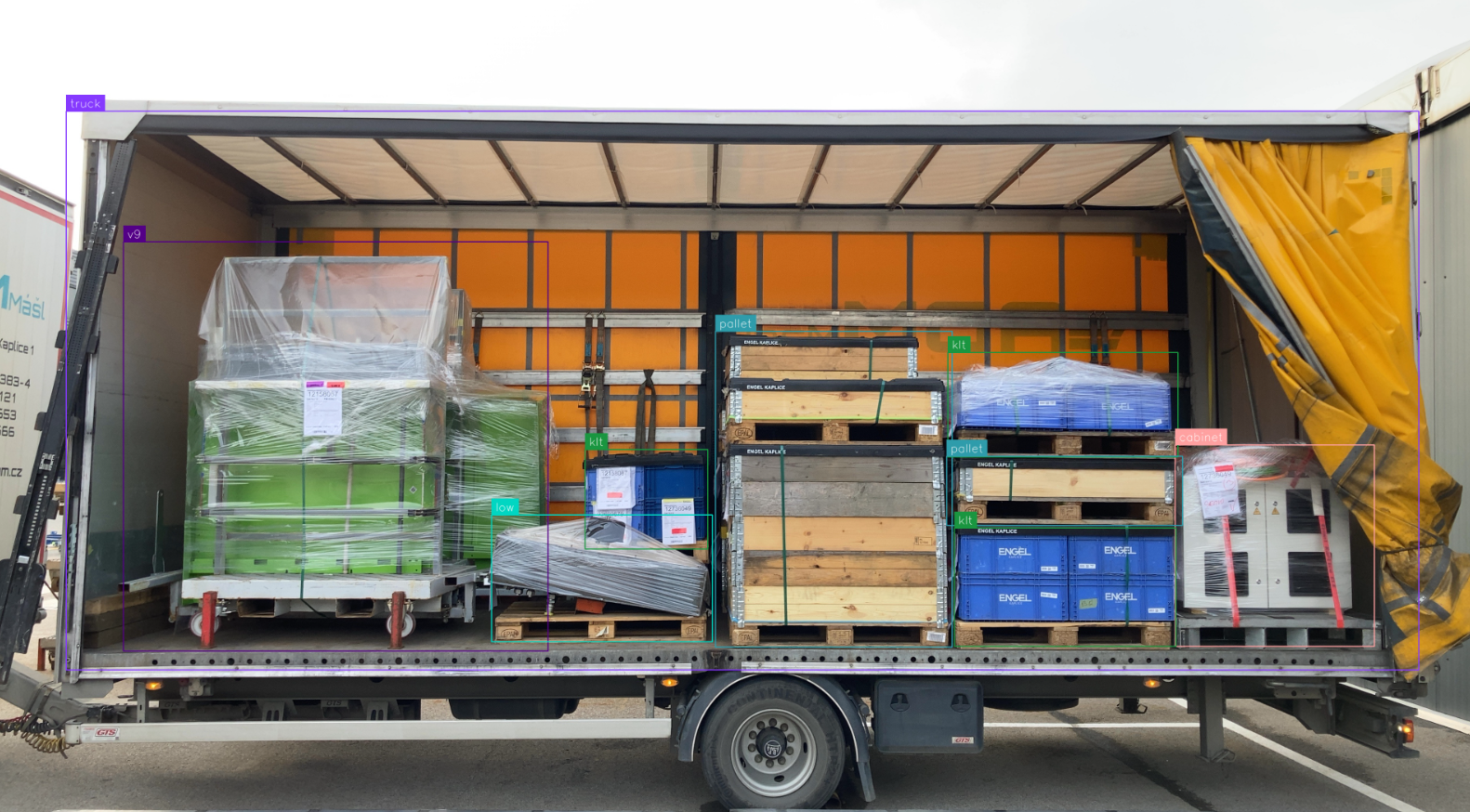
Since the system operates on 2D images, we can calculate only the rough two-dimensional surface coverage of the truck, not the full cargo volume. For their specific use case, however, this level of estimation is sufficient.
I extended the existing pipeline by adding a new branch with a custom script block called Total Coverage. This block allows for custom logic and can interact directly with the Roboflow API to access workflow data and inference results.
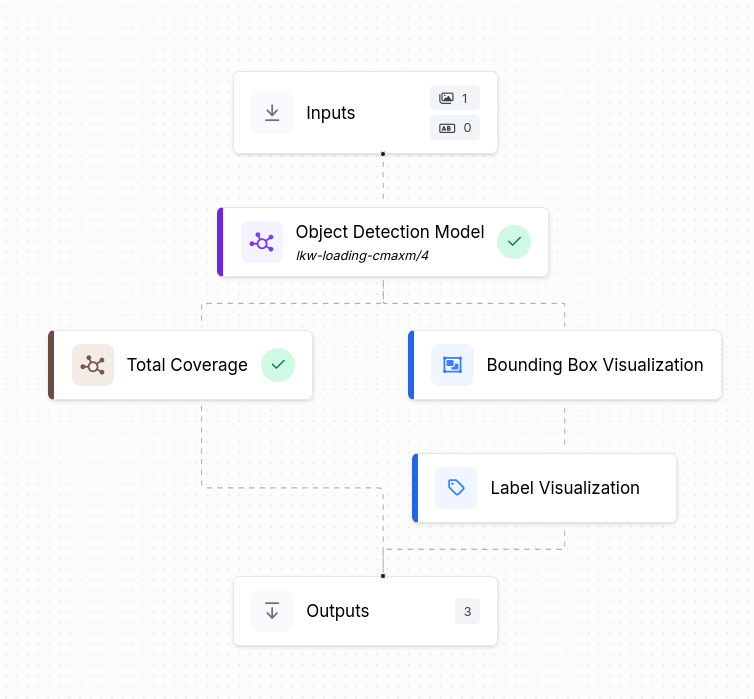
Below is the Python script I implemented to extract the inference data and calculate both the total surface coverage and the number of detected objects.
def run(self, model_output) -> dict:
    object_count = len(model_output)
    truck_area = 0
    cargo_area = 0

    for xyxy, mask, confidence, class_id, tracker_id, data in model_output:
        w = data.get("width", 0)
        h = data.get("height", 0)
        label = data.get("class_name", "").lower()
        area = w * h

        if label == "truck":
            truck_area = area
            object_count -= 1
        else:
            cargo_area += area

    coverage = round((cargo_area / truck_area * 100), 1) if truck_area > 0 else 0

    return {
        "total_coverage": coverage,
        "object_count": object_count,
    }
The tricky part was handling the model_output correctly, otherwise the logic is straightforward. Needless to say, this remains an estimation rather than a precise calculation. Here is an example of the script output in JSON format.
"truck_stats": {
    "total_coverage": 51.8,
    "object_count": 8
},
This was an interesting exercise, as it was my first time working with Roboflow and contributing to an image recognition project that is actively used in production.