VimGolf Station
VimGolf is a challenge game where the goal is to edit a given piece of text into a desired final form using as few keystrokes as possible in Vim. Some time ago, I built a rough portable station using a Raspberry Pi and a spare monitor. It was initially used to play VimGolf at the SUSE Prague office and later repurposed for public events. It uses a custom VimGolf menu script and Ansible playbooks to make configuring your own VimGolf station easy.
The project source files can be found at https://github.com/realcharmer/vimgolf-station.
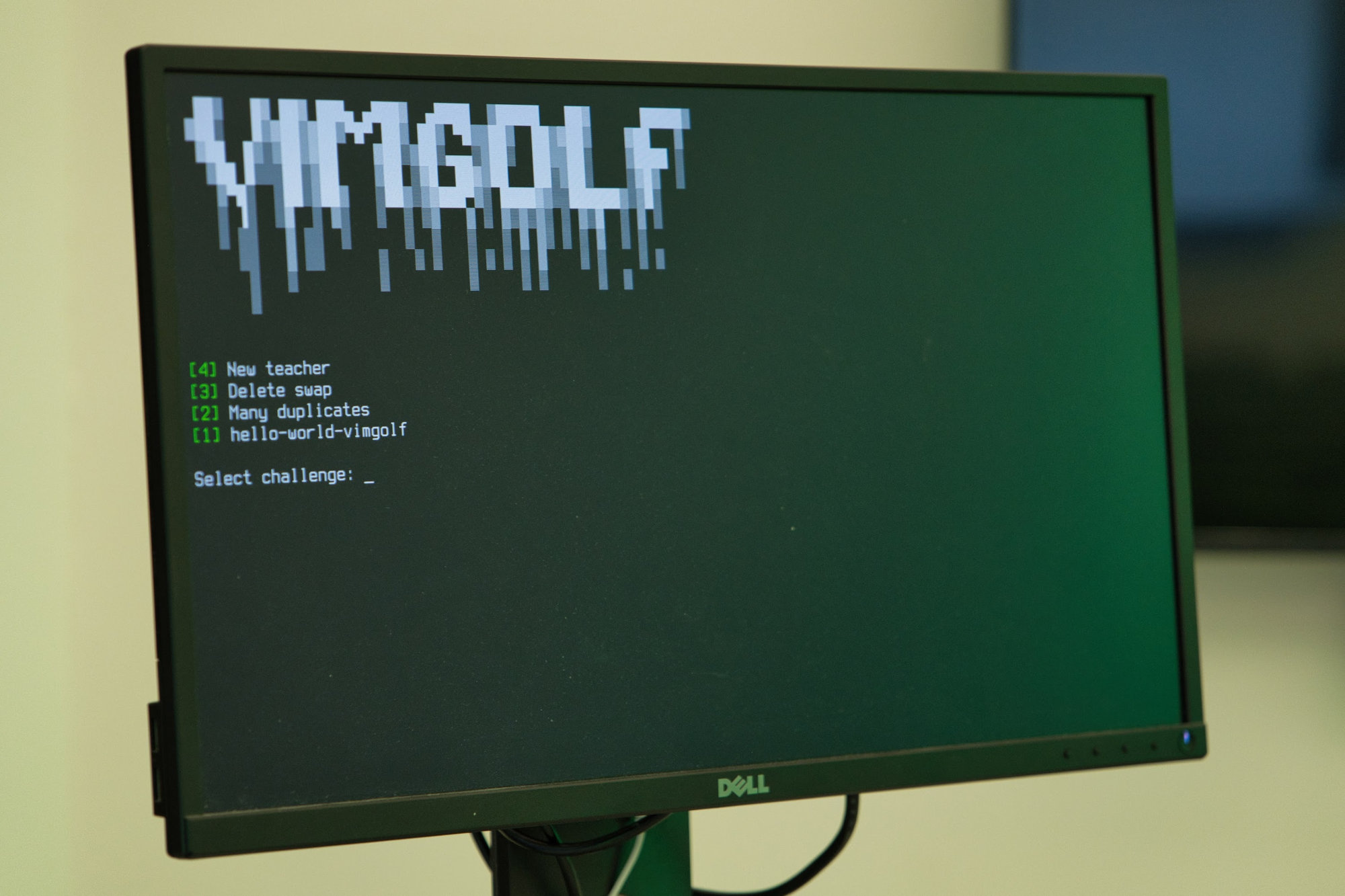
 Photohraph taken by Alexandre Vicenzi at LinuxDays 2025
Hardware
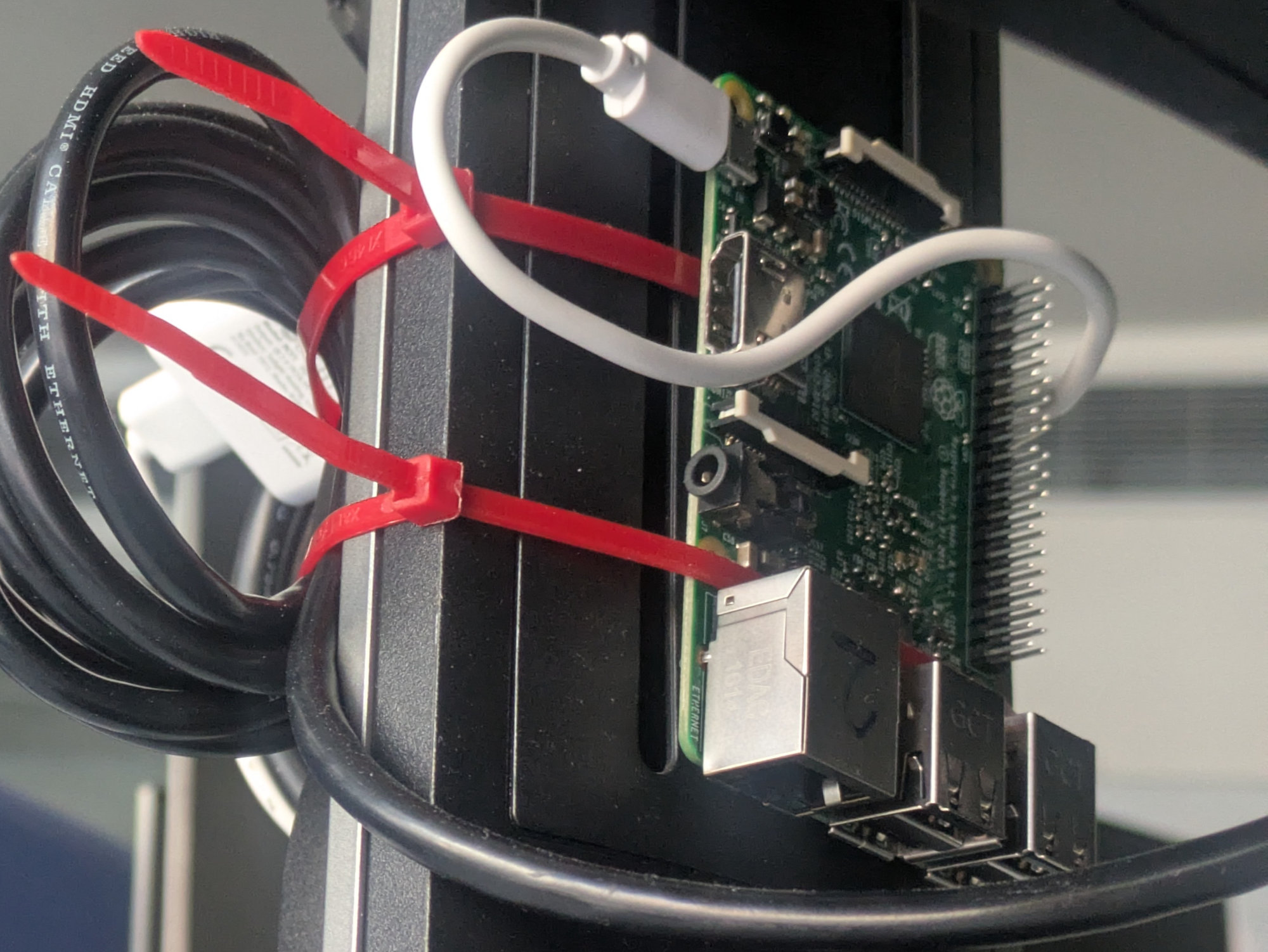
The entire system is designed to be portable, therefore it’s built around a Raspberry Pi mounted directly to a monitor, along with a power strip and dedicated power adapter. It’s paired with a custom-made keyboard, courtesy of Hody.
Software & System Configuration
I’ve chosen Void Linux as the base because it’s light, simple, has stellar Raspberry Pi support and because I just felt like it. The only manual configuration needed is to install python3 (for Ansible), setup avahi, sshd and import public ssh keys. When the system is ready, Ansible takes care of the rest.
ansible-playbook setup.yamlThe playbook does a few things:
- Install & enable core services
- Run a software update
- Configure users
- Copy the vimgolf.sh script and greetd configuration
- Install & configure docker and greetd
VimGolf itself runs in a containter to ensure a clean runtime for VimGolf itself and to also prevent the user from accesing the host system.
After the system boots up, it starts a greetd service, which is configured to autologin the vimgolf user and execute vimgolf.sh as the default application. The script is also restarted automatically when the user manages to kill it.
vimgolf.sh
vimgolf.sh does the following:
- Ensure network is accessible (including DNS)
- Provide a selection menu
- Run VimGolf container with selected challenge
The script has to be configured in vimgolf/configuration by specifying challenge codes from vimgolf.com along with custom challenge names and user key, for example:
USER_KEY="..."
declare -A CHALLENGES=(
    ["1"]="9v0061478032000000000212|hello-world-vimgolf"
    ["2"]="9v006289c03700000000021f|Many duplicates"
    ["3"]="9v006283b31d00000000021d|Delete swap"
    ["4"]="9v006621a9a900000000026b|New teacher"
)
Make sure to run the Ansible playbook again when changing the configuration, as it has to be copied to the VimGolf station.
 Photohraph taken by Alexandre Vicenzi at LinuxDays 2025